SpotiDrop press kit
Logos, screenshots, descriptions and facts for writing about SpotiDrop.
Key facts
- Name
- SpotiDrop
- Developer
- Kingpindev (Burak Pekel)
- Platform
- Windows 10 and Windows 11
- Version
- 0.6.0, about 122 MB installer
- Category
- Music and audio, utilities
- Price
- Free, no account
- Distribution
- Download from kingpindev.com/spotidrop (not on the Microsoft Store)
- Website
- spotidrop.kingpindev.com
- Press contact
- admin@kingpindev.com
One line / Short description / Full description
One line
SpotiDrop downloads music from YouTube, SoundCloud and Bandcamp into Spotify Local Files, tagged with cover art.
Short description
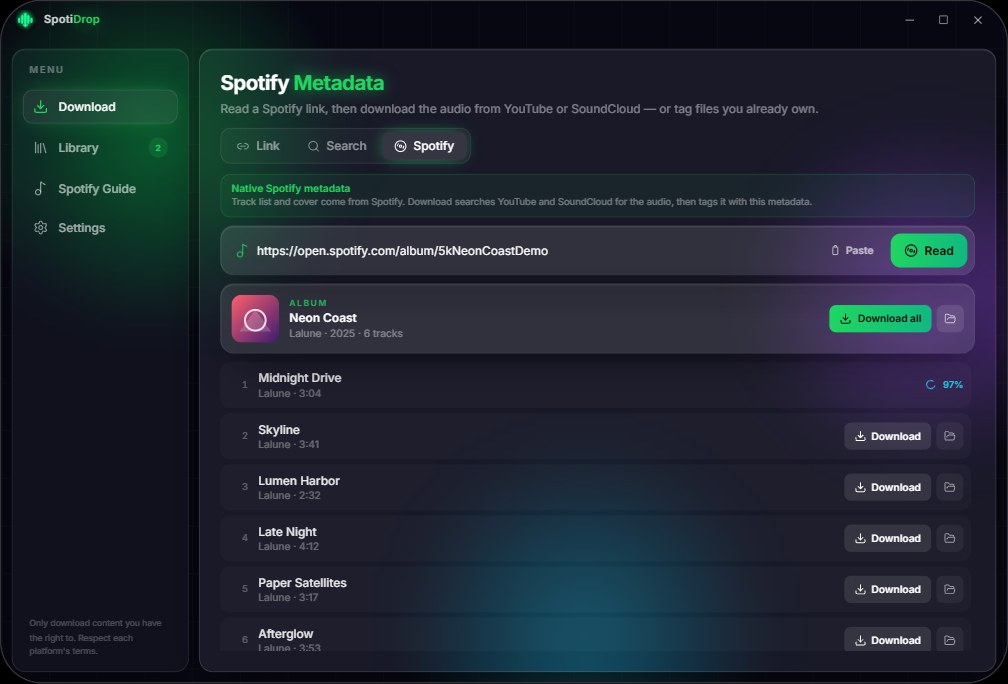
SpotiDrop saves music from YouTube, SoundCloud, Bandcamp and other supported sites as tagged MP3 files in your Spotify Local Files folder. Paste a Spotify link to get the track list and cover, then let it find the audio. yt-dlp and ffmpeg are bundled; no account is needed. Use it only for content you have the right to download.
Full description
SpotiDrop is a Windows app with a glassy, neon-lit interface that turns links into properly tagged music files. Paste a YouTube, SoundCloud or Bandcamp link, search for a track, or paste a Spotify track, album or playlist link: SpotiDrop reads Spotify's public information (title, artists, album, cover, track number), finds the audio on a public source, converts it to 44.1 kHz MP3 and writes the Spotify tags and a cover, saving it where Spotify's Local Files picks it up. Whole albums download from a queue with live progress, files you already own can be matched and tagged from a folder, and the download engine can update itself. It never downloads audio from Spotify, needs no account and bundles yt-dlp and ffmpeg. SpotiDrop should be used only for content you have the right to download.
Downloads
Screenshots
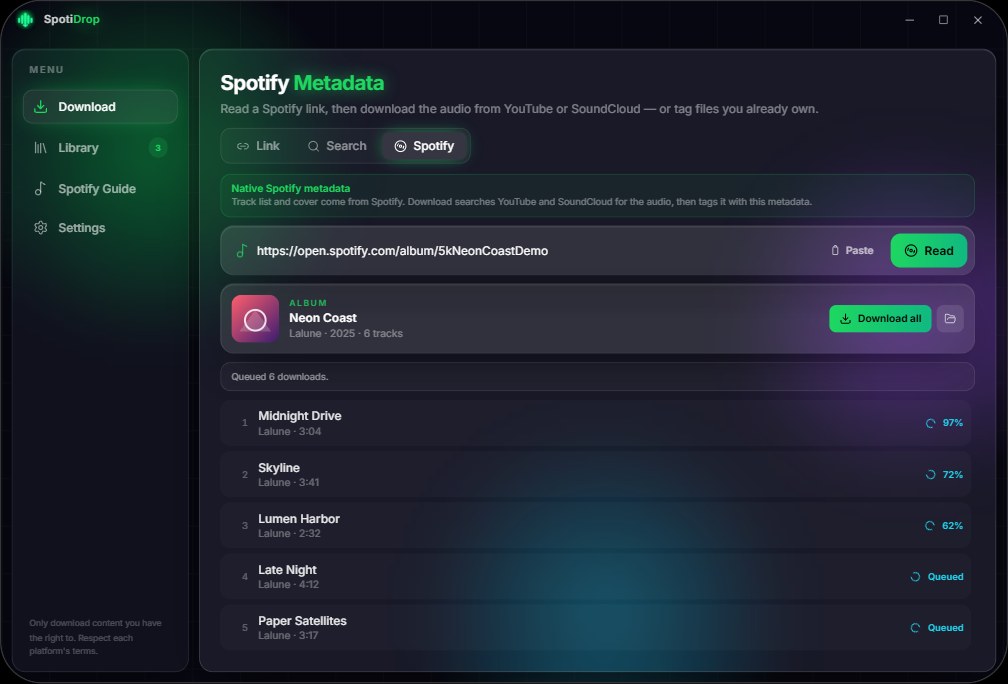
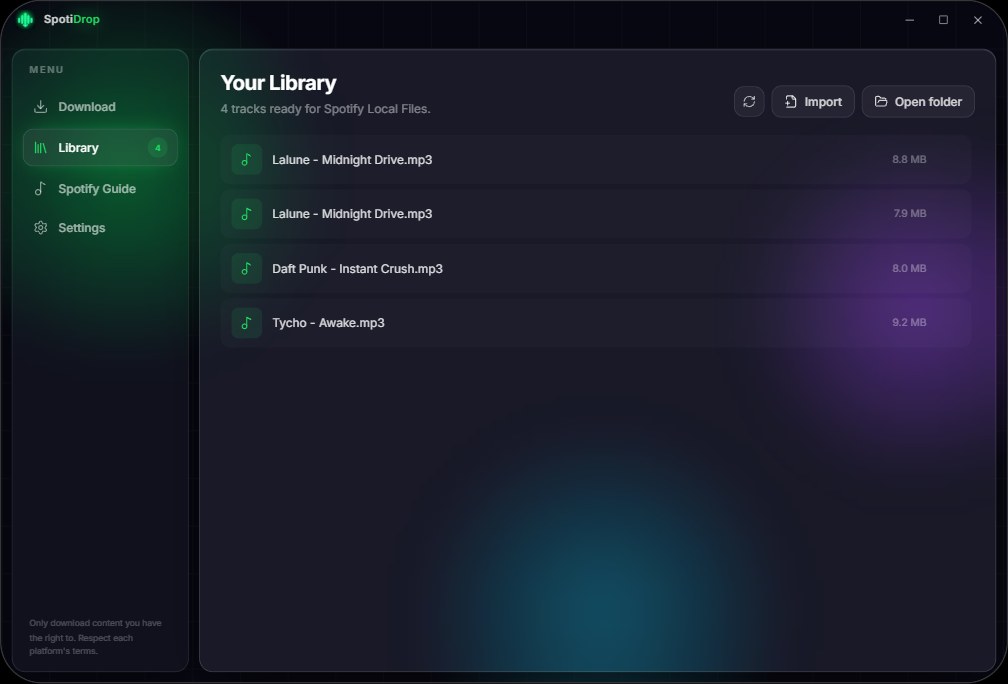
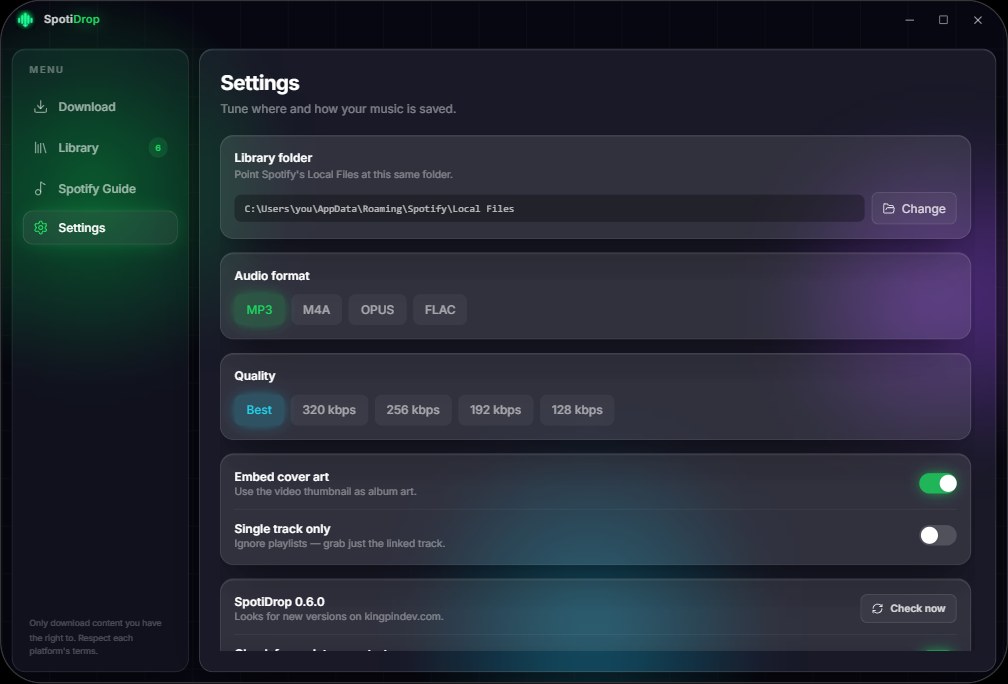
Notes for writers
- SpotiDrop is not affiliated with Spotify, YouTube, SoundCloud or Bandcamp. Please do not describe it as an official tool of any of them.
- Screenshots show example tracks. Please do not alter the logo.
- Please mention that SpotiDrop should only be used for content the user has the right to download.
Ready to try SpotiDrop?
Download the installer and set it up in a minute. Use it only for content you have the right to download. Write to us at admin@kingpindev.com